CRM & sales
Keep the relationship in view.
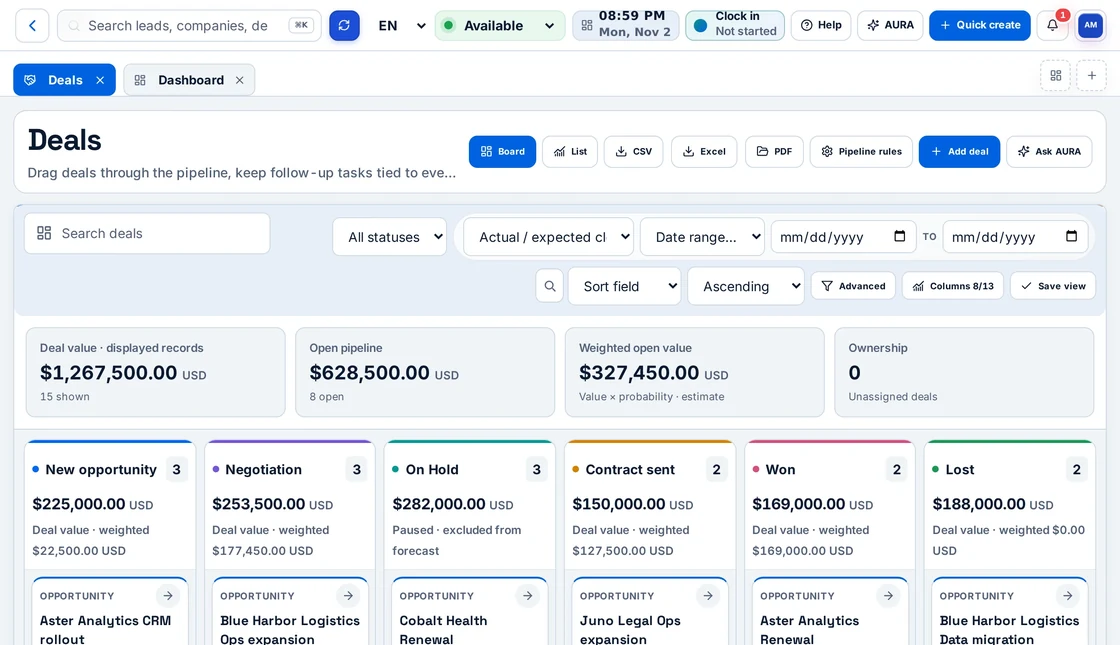
Companies, contacts, leads and deals with a clear owner and next action.
A closer look
- Search company and contact records
- Keep files and tasks with the relationship
- Connect offers and financial context

THE CONNECTED BUSINESS PLATFORM
Bring clients, projects, finance and your people together. From the first conversation to the final payment.
Built in Kosovo. Ready for teams everywhere.
BUSINESS COMMAND CENTER
ONE WORKSPACE. EVERY NEXT STEP.
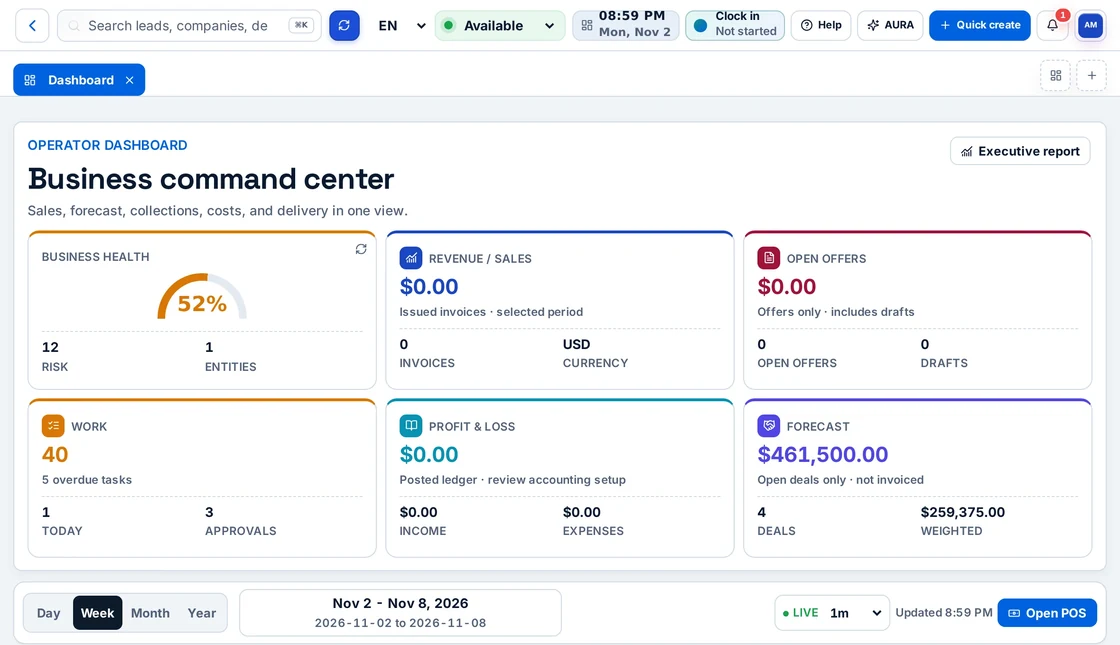
A shared record keeps the relationship, delivery and financial context together.
SHARED BUSINESS CONTEXT
The client stays connected to the offer, the project and the invoice. Each team sees the part it needs to move forward.
THE WHOLE BUSINESS, CONNECTED
Companies, contacts, leads and deals with a clear owner and next action.

Offers, pro forma invoices, invoices, collections and supplier balances.

Tasks, materials, suppliers and approvals alongside the project.

Employee cards, employment records and supporting documents.

Connect saved articles, warehouses and asset records with everyday work.

Open contextual AI assistance from the work your team is reviewing.
CLARITY THAT LEADS TO ACTION
See invoices, collections and amounts in context.
Bring project status and ownership into view.
Move from the overview to the connected record.
A WORKSPACE THAT FITS YOUR BUSINESS
Choose the workflows your team needs and introduce them with a clear starting point.
Walk us through your clients, projects and financial processes. We help you identify what belongs together.
Choose your modules, prepare your company records and define the right access for every role.
Introduce the workflows your team uses every day, with the records and responsibilities in one place.
CONNECTED AT EVERY LEVEL
A company record is the starting point for relationships with clients, suppliers and partners. Link contacts, leads, offers and projects to that context, so your team can find the record behind a task or a financial balance. Your dashboard brings sales, collections, costs and work status into one view.
Build an offer from saved products and services, prepare an invoice, and follow payments and due dates. Organize project tasks, materials and client approvals alongside delivery. Purchasing links supplier orders to stock receipts and supplier bills, so teams can trace what has been ordered, received and recorded.
Employee and user records support role-based access. Company licenses determine which modules are available, while user permissions control which actions and financial information people can see. Audit history records business changes, and notifications help people return to the work that needs attention.
Use Kraken in a browser on desktop or mobile. Choose the modules your team needs and review your client records, product catalogue, accounting configuration and employee access during onboarding. A guided demonstration is the best way to assess how your own processes fit together.
PRACTICAL QUESTIONS
Find the practical details about getting started, choosing modules and bringing your team into one workspace.
Talk to our teamTalk to our team about your workflows, users and modules. We will help define your company workspace and onboarding. You can also sign up to explore the shared demonstration environment using sample data.
Yes. Your company license defines your modules, while user permissions control access to records and actions. Discuss your requirements with our team to select the right scope.
Yes. Kraken runs in a browser on desktop and mobile, so your team can access its workspace across devices.
Company workspaces and user permissions determine which records people can view and which actions they can perform. Employee account access and role settings are managed inside Kraken.
Yes. Bring a typical client, offer or project to a guided walkthrough. We can show how the process connects across sales, delivery and finance.
BUSINESS, CONNECTED.
One workspace for clients, projects, finance and your people.